Published on: March 7, 2019
5 min read
How we use GitLab to automate our monthly retrospectives
How one engineering team is using GitLab CI to automate asynchronous retrospectives, making collaboration across four continents a breeze.


As an Engineering Manager at GitLab I spend most of my working day using GitLab for a variety of tasks – from using issue boards for team assignments, epics for tracking longer-term initiatives, and todos and notifications to manage my own workflow.
We also use GitLab in a number of unconventional ways, so I wanted to share with you one interesting use case we've been experimenting with.
GitLab stage group retrospectives
Each stage group at GitLab has its own retrospective, which then feeds into the GitLab-wide retrospective we have for each monthly release.
The Plan team is fairly widely distributed: we have people on four continents, and only two members of the team are even in the same country as each other. We wanted to try asynchronous communication wherever possible, so we used GitLab issues for our retrospectives, too.
A quick note on terminology: we say team to refer to a manager – like me – and their reports. We say stage group to refer to the people who work on a particular DevOps stage, even across multiple teams. The Plan stage group is even more widely distributed.
Automating retrospective issue creation
Creating the retrospective issue was fast, but adding links to notable issues that we shipped or that slipped was time consuming and tedious. In the spirit of xkcd 1319, I decided to automate it, so I created the async-retrospectives project. This project makes retrospective issue creation a hands-off process:
- It uses scheduled pipelines to create an issue on the 1st of each
month. As our development month runs from the 8th to the 7th, this
is a little early, but it allows the team to jot down any thoughts
they have while they are still working on the release.

- The issue is created using the standard GitLab API, using a protected variable to hold the credentials.
- When we create the issue, we use quick actions to add the correct labels and due date in a convenient way. (This is also possible without quick actions, but quick actions are more convenient for me personally.)
- Another scheduled pipeline runs on the 9th of each month to update
the existing issue's description with the lists of issues (slipped,
shipped) I mentioned above.
We make our retrospectives public after we conclude them, so you can see this in action on the 11.8 Plan retrospective: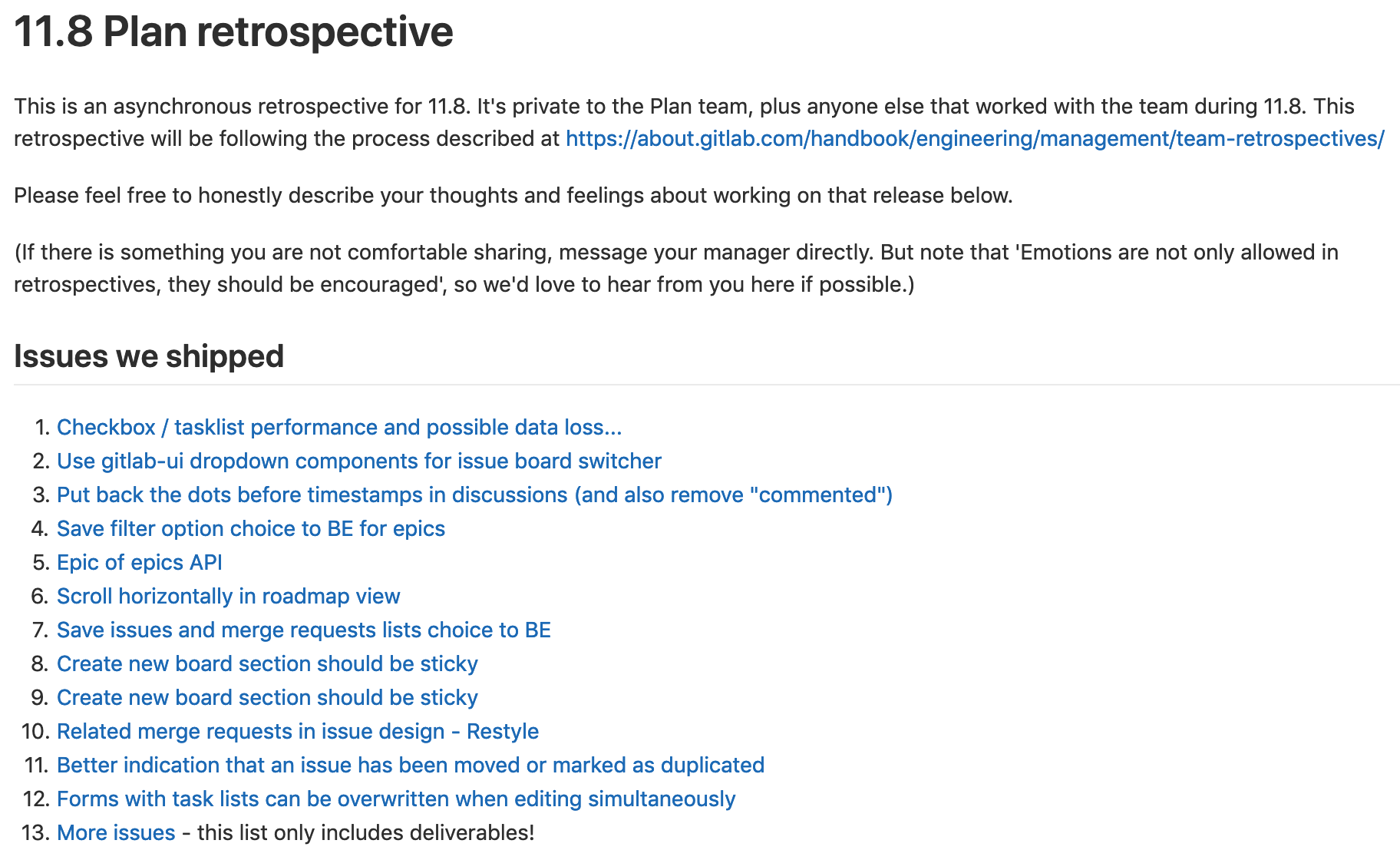
I only intended this for use in Plan, but a nice thing about a company where we give agency to people to solve their problems is that people like me are able to try out things that might not work globally, like this.
As it happened, it's also been picked up by other teams and groups. We configure the creation in a YAML file, just like GitLab CI is configured, to try to make it as easy as possible for other managers to contribute and set this up for their team.
Our experience running asynchronous retrospectives
What works
We've had a lot of positive experiences from these asynchronous retrospectives. In particular:
- No one is disadvantaged because of their time zone. If we had a video call with our time zone spread, we'd have some people on that call in the middle of their night, or missing out completely.
- Because they are written down from the start, and because comments in GitLab are linkable, we can very easily refer to specific points in the future.
- Also, because they are written down, the comments can include links to specific issues and merge requests to help other people get the same context.
What needs improvement
Asynchronous retrospectives aren't perfect, of course. Some of the downsides we've noticed are:
- Video calls are simply better for some things. In particular, the discussion
does not flow as smoothly in text as it can in a verbal conversation.
We also conduct our engineering-wide retrospective in a public video call, so we retain some opportunity for synchronous discussion. - Similarly, team bonding is slower in text than in video calls.
- Participation can be lower if it's something you don't have to do right now, but can always defer to a later date. We are continually looking for ways to improve this.
Over all, we don't intend to go back to video calls for retrospectives, and we're really happy with the results. You can see all public retrospectives from the teams and groups at GitLab in the GitLab retrospectives group on GitLab.com.
Photo by Daniele Levis Pelusi on Unsplash
We want to hear from you
Enjoyed reading this blog post or have questions or feedback? Share your thoughts by creating a new topic in the GitLab community forum.
Share your feedback